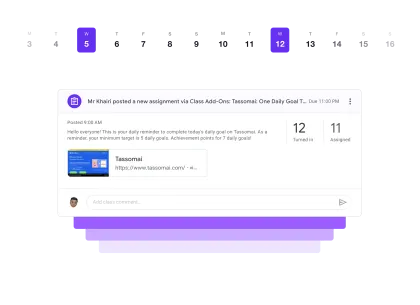
Works with Google Classroom

Your daily assignments,
published automatically.

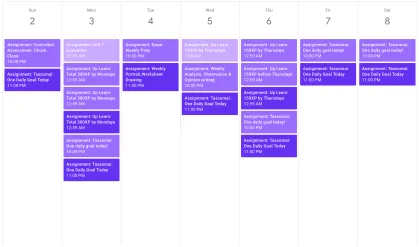
Class Add-Ons schedules your recurring Google Classroom work — so the right assignment, reminder or form goes out on time, every time.

No card required Set up in 2 minutes Revoke access anytime

Schedules reminders for the platforms your students already use

TassomaiSenecaSparxUp LearnGCSEPodKay ScienceSnapReviseCarousel
How it works

Set it once. Forget the calendar.

Three steps stand between you and never manually re-posting the same assignment again.

1

Connect Google Classroom

Sign in with Google and choose the classes you want to automate. No passwords, no setup headaches.

2

Build your schedule

Pick a recurrence — daily, weekly, monthly or termly — set due dates, and attach links or Drive files.

3

We publish on time

Your classwork goes out exactly when planned. Get an email alert each time something is posted.

Features

Everything you need to run recurring classwork

The scheduling controls teachers actually ask for — flexible, precise, and out of your way.

Scheduling

Scheduling, exactly the way you want it

Recur assignments at daily, weekly, monthly or termly intervals — with start dates, stop dates and precise publishing times.

Every
1 2 3 4
weeks days months
Starting from
today tomorrow next week custom
At 08:00 AM
Next post Mon 16 Jun · 08:00 AM Active
Attachments

Attach links and files from Drive

Add web links or Google Drive files directly to each scheduled classwork item.

Publish this assignment
Classroom
10B Science
Title
Weekly Tassomai reminder
https://
🔗 tassomai.com
Due dates

Custom due dates per recurrence

Set one due-date pattern, or tailor due dates for specific recurring assignments.

Due date type
specific date
Due Date
Due Time
n days from publish
Days 7
Time 11:59 PM
Preview Due 7 days after posting
Alerts

Stay in the loop

Choose email alerts for published classwork and other scheduling events.

Inbox 3 new
Class Add-Ons Just now
✅ Published: Weekly Tassomai
10B Science · Posted at 08:00 AM
Class Add-Ons Mon 09:00
✅ Published: Seneca Revision
Year 11 Maths · Posted at 09:00 AM
Class Add-Ons Fri 08:00
✅ Published: Sparx Maths
10A Maths · Posted at 08:00 AM
Security

Safe and secure by design

No stored passwords, no student details saved, and Google access you can revoke any time.

🔒 Google OAuth
Only requests:
View your Classrooms
Post classwork on your behalf
Student records or personal data
Passwords or payment info
Use cases

Built for real classroom routines

Online assignments, homework plans, feedback forms, recurring reminders — automate the parts that repeat.

Weekly reminders for online platforms
1

Weekly reminders for online platforms

Automate recurring reminders for Tassomai, Seneca, Sparx and more — so students track everything from Google Classroom.

Homework plans for a whole term
2

Homework plans for a whole term

Turn an existing homework plan into scheduled reminders and attach the right paper-based or digital resources.

Recurring feedback forms
3

Recurring feedback forms

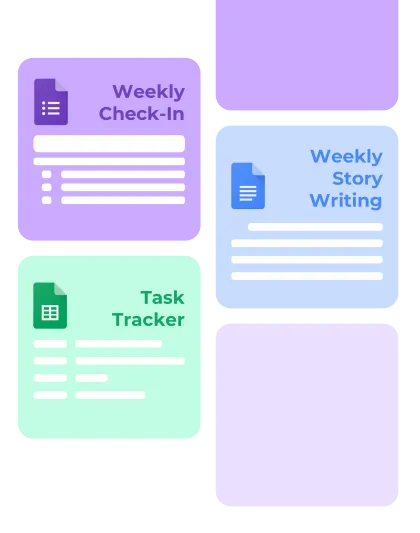
Schedule Google Forms or custom feedback forms at the end of a term or as recurring check-ins.

Privacy first

Built for schools that take data seriously

We designed Class Add-Ons so it never holds what it doesn’t need. Your access stays yours, and you can pull it back in one click.

  • 🔒 No passwords stored Sign-in runs entirely through Google OAuth — we never see or keep a password.
  • 🎓 No student details saved We schedule and publish your classwork without storing student records.
  • 🚫 No third-party sharing Your data is never sold or passed to advertisers or other services.
  • ↩️ Revoke access anytime Remove Class Add-Ons from your Google account in a single click, whenever you like.
Google OAuthGDPR alignedLeast-access scopes
“Sent this to our DPO, Class Add-Ons provided all of the documentation in one - same day approved and ready to go!” — IT Manager
Loved by teachers

Hours back, every single week

Built for teachers, by a teacher.

★★★★★

“I set up a full term of weekly Tassomai reminders in one sitting. I’ve not touched it since — it just posts.”

RH R. Hughes Head of Science, secondary
★★★★★

“Monday-morning me is so grateful to Friday me. Everything publishes itself before the kids are even logged in.”

PA P. Adeyemi Maths teacher
★★★★★

“Custom due dates per recurrence is the feature I didn’t know I needed. Saves me re-doing the whole schedule.”

LM L. Morrison English department
★★★★★

“Cheaper than a coffee a month and it gives me back an afternoon. Easiest yes of my teaching year.”

TC T. Chen Science teacher
★★★★★

“Set up a whole term of feedback forms in one evening. Never had to reschedule or repost a single one.”

MO M. Osei Head of Year
★★★★★

“Finally something that doesn’t need a 30-minute setup. Connected, built a schedule, walked away.”

JW J. Whitfield Head of Maths
★★★★★

“I set up a full term of weekly Tassomai reminders in one sitting. I’ve not touched it since — it just posts.”

RH R. Hughes Head of Science, secondary
★★★★★

“Monday-morning me is so grateful to Friday me. Everything publishes itself before the kids are even logged in.”

PA P. Adeyemi Maths teacher
★★★★★

“Custom due dates per recurrence is the feature I didn’t know I needed. Saves me re-doing the whole schedule.”

LM L. Morrison English department
★★★★★

“Cheaper than a coffee a month and it gives me back an afternoon. Easiest yes of my teaching year.”

TC T. Chen Science teacher
★★★★★

“Set up a whole term of feedback forms in one evening. Never had to reschedule or repost a single one.”

MO M. Osei Head of Year
★★★★★

“Finally something that doesn’t need a 30-minute setup. Connected, built a schedule, walked away.”

JW J. Whitfield Head of Maths
★★★★★

“My HOD asked how I was getting homework out so consistently every week. I didn’t let on the secret.”

BP B. Patel ECT, secondary school
★★★★★

“The email confirmation each time something posts is a small detail that makes a real difference to my confidence.”

CN C. Nakamura Head of MFL
★★★★★

“Our DPO signed it off after one conversation. That never happens with new tools.”

AT A. Thompson Deputy Head
★★★★★

“The stop date feature is brilliant — set up the whole term, it pauses automatically at half term.”

DS D. Sullivan Science teacher
★★★★★

“I manage reminders for twelve classes now. Used to take an hour a week. Now it’s done once and forgotten.”

FA F. Ahmed Sixth Form Coordinator
★★★★★

“Had it running across six classes within 20 minutes of signing up. Incredibly well thought out.”

ER E. Ramsay Head of Computing
★★★★★

“My HOD asked how I was getting homework out so consistently every week. I didn’t let on the secret.”

BP B. Patel ECT, secondary school
★★★★★

“The email confirmation each time something posts is a small detail that makes a real difference to my confidence.”

CN C. Nakamura Head of MFL
★★★★★

“Our DPO signed it off after one conversation. That never happens with new tools.”

AT A. Thompson Deputy Head
★★★★★

“The stop date feature is brilliant — set up the whole term, it pauses automatically at half term.”

DS D. Sullivan Science teacher
★★★★★

“I manage reminders for twelve classes now. Used to take an hour a week. Now it’s done once and forgotten.”

FA F. Ahmed Sixth Form Coordinator
★★★★★

“Had it running across six classes within 20 minutes of signing up. Incredibly well thought out.”

ER E. Ramsay Head of Computing
Pricing

Start free. Upgrade when you need more.

Try it on a real class with the free plan — go Premium when you want unlimited scheduling.

Free

£0 forever
  • 1 active scheduling task
  • Advanced recurring configuration
  • Start and end dates
  • Attach a link or Google Drive file
  • Auto-delete past recurring assignments
  • Email alerts
Get started
Most popular

Premium

£2.49 per month, billed annually
  • Unlimited scheduling tasks
  • Unlimited attachments and links
  • Magic variables (beta)
  • Everything in Free
  • Human email support
  • Support an independent developer

£29.99 billed annually. Monthly option available at £2.99/month.

FAQ

Questions, answered

Does this work inside Google Classroom?

Yes. Class Add-Ons connects to your Google Classroom and publishes classwork on your behalf at the times you schedule — assignments appear exactly as if you posted them yourself.

Do you store student data or passwords?

No. Sign-in runs through Google OAuth, so we never see your password, and we don’t store student records. We only use the access needed to schedule and publish your classwork, and you can revoke it any time.

What kinds of recurrence can I set?

Daily, weekly, monthly and termly patterns, with start dates, stop dates and a precise publishing time. You can also set custom due dates for each recurrence.

Can I attach files and links?

Yes — add web links or Google Drive files directly to each scheduled classwork item. On Premium, attachments and links are unlimited.

Is the free plan really free?

Yes, free forever — one active scheduling task with advanced recurrence, dates, an attachment and email alerts. No card required. Upgrade to Premium only when you want unlimited tasks.

How do I cancel?

Cancel any time from your dashboard, and remove Class Add-Ons from your Google account in a single click. Your scheduling simply stops — no lock-in.

Give yourself one less thing to remember

Set up your first recurring assignment in a couple of minutes — and let Class Add-Ons keep it publishing on time.

No card required Free plan forever Revoke access anytime

Go premium

Register for a free account, then upgrade to premium from your dashboard.

Sign up with Google